Sometimes teaching feels like trying to explain an abstract concept using only a dry-erase marker, a janky projector, and the power of interpretive dance. Enter Leonardo.Ai, a tool that lets you turn your thoughts into actual images. No sketching required. Just words. Magical, descriptive words.
If that sounds a little like witchcraft, welcome to the world of generative AI.
So, What Is Leonardo.Ai?
Leonardo.Ai is a browser-based image generation platform. You give it a text prompt, and it spits out multiple images styled in everything from photorealism to steampunk to “cyberpunk goat in space.” (Yes, I tested that last one. It’s amazing. You’re welcome.)

Originally designed with gaming and concept artists in mind, it has quickly found its way into education because, let’s face it, teachers are some of the most creative people on the planet, and we’ll take any tool that helps us explain photosynthesis and build a story map and design a class mascot.
What You Get for Free
Here’s the best part: Leonardo.Ai has a free tier that’s actually usable. No trickery. No “give us your credit card first.” Just sign up, wait to be approved (usually within 24 hours), and you’re in. Here’s what the free version includes:
- 150 tokens per day
(Each image generation costs between 5 to 15 tokens, depending on settings. So that’s plenty of creative wiggle room.) - Access to multiple pre-trained models
Want a watercolor dragon? A claymation-style robot? A 3D fantasy castle? You’ve got options. - A prompt assist tool
This helps you get better results by guiding you to describe things clearly and stylistically. - A canvas editor
Allows you to refine or remix images with drawing tools or inpainting. - Download and use rights
Images can be downloaded and used in classroom materials, student projects, and even shared publicly, as long as they meet content guidelines.
Teachers can register with their school email, and once you’re in, you’ll be greeted with a user-friendly dashboard and surprisingly few tech headaches.
How Can You Use This in a Classroom Without It Spiraling into Chaos?
Good question. This is where the magic meets the method. Let’s talk about practical, standards-aligned, non-chaotic ideas.
ELA: Show, Don’t Tell
Ask students to generate an image based on a descriptive paragraph. Or, have them write the paragraph after seeing an AI-generated image. This is a great way to strengthen writing and observation skills. It also gives you a sneaky way to teach tone and mood. Picture a foggy forest with a crooked path and a single lantern glowing. What’s the story? Who lives there? Who gets lost?
Social Studies: Visualize the Past
Sure, your textbook has pictures of ancient Rome. But what about a speculative image of what a Roman market might have looked like based on student research? Or an imagined dialogue between historical figures brought to life through portrait-style prompts? Use Leonardo.Ai to help students synthesize research and create historical “evidence” with context.
Science: Bring the Unseeable to Life
Try asking Leonardo.Ai for a visual of “an animal adapted to live on a planet with no sunlight,” and have students analyze the result based on what they know about adaptations. Use it to compare ecosystems, invent habitats, or visualize energy transfers. Science doesn’t have to be confined to worksheets and lab goggles.

Art: Start with AI, End with Imagination
This one’s a no-brainer. Students can use Leonardo.Ai as inspiration for character design, composition practice, or creative interpretation. And since the canvas tool allows drawing on top of images, there’s a built-in remix factor.
World Languages: Vocabulary with Visuals
Ask for prompts in Spanish, French, or any target language. The AI understands most and will return culturally relevant results. This works beautifully for storytelling, vocabulary reinforcement, or visual dictionaries.
The AI Behind the Tool
Leonardo.Ai runs on a fine-tuned set of diffusion models, similar to those used in Stable Diffusion. These models generate images by starting with static noise and gradually refining that noise based on the text prompt. The more descriptive the prompt, the more accurate and detailed the result.
The company has trained its models on a mix of publicly available image data and user-generated content. While this has raised some eyebrows in the art community (especially around copyright and artist consent), Leonardo.Ai is continuing to build more transparency into its process. There are community guidelines, content moderation tools, and visible prompt histories for all public generations.
It’s important to know: This is not a tool for unsupervised student use. It doesn’t have an education-specific filter (yet), so you’ll want to use it yourself and share images or design projects within your learning management system or classroom tool of choice.
Ethical Conversation Starter: Who Really Made This?
A quick tip for weaving AI literacy into your classroom: Ask students, “Who is the author of this image? You, the AI, or both?” This sparks conversations about creativity, authorship, intellectual property, and the role of AI as a collaborator versus a creator. And it’s way more fun than a 25-slide deck on digital citizenship.
Final Thoughts
Leonardo.Ai is like having a visual artist on call who never sleeps and doesn’t mind being bossed around with highly specific instructions. Used thoughtfully, it can enhance lessons, support multilingual learners, ignite creativity, and help students explore design thinking and storytelling with a modern twist.
Just don’t blame me when your class becomes obsessed with creating Victorian sloths in top hats or futuristic tacos with laser beams.
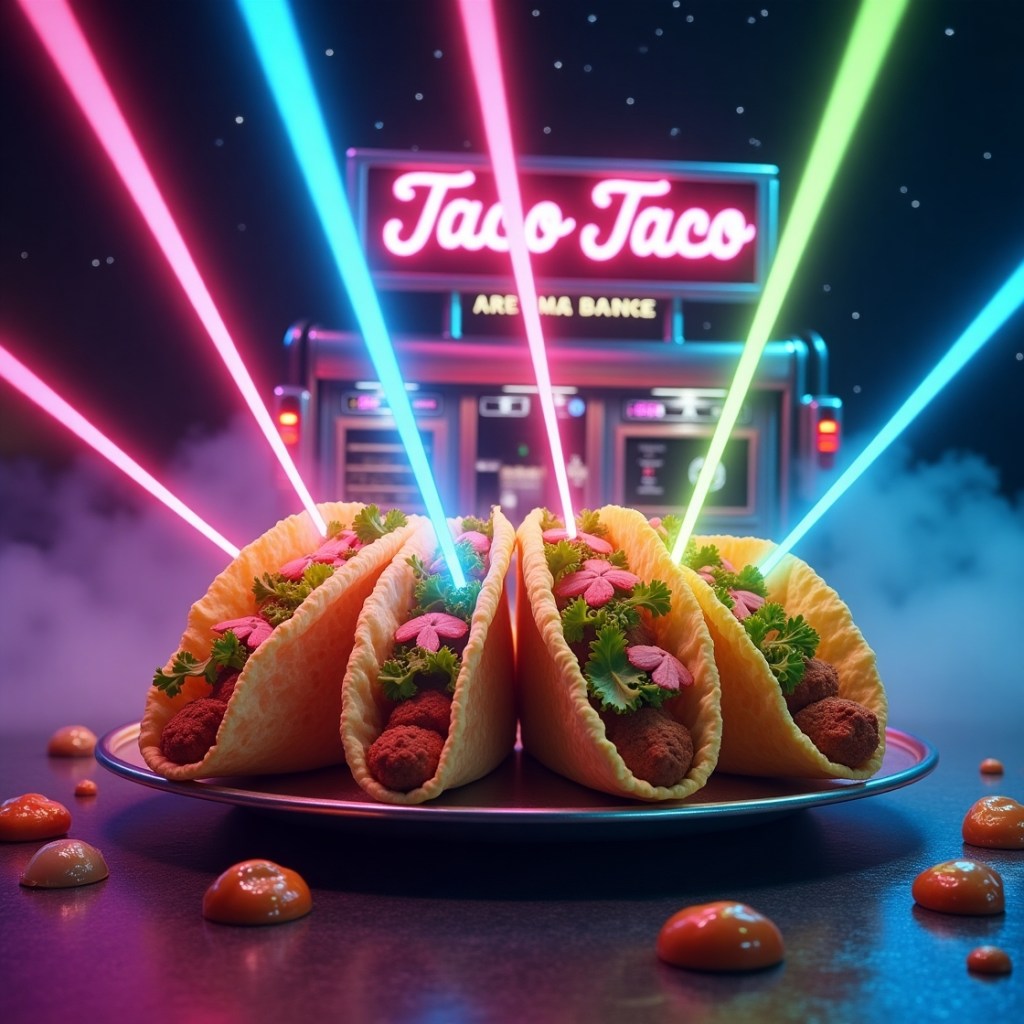
Go play. Go create. And bring your curriculum to life—one weird, wonderful prompt at a time.
💛 If you found this post helpful, inspiring, or just a little bit nerdy in the best way, consider supporting my work by buying me a coffee! Your support helps me keep sharing tools and reflections with educators like you.
👉 Buy me a coffee
 Paula Johnson Tech
Leave a comment